Spatial sound / Windows Sonic issues
Windows Sonic for Headphones and other Spatial modes can break playback on some Bluetooth and wired devices. Turn Spatial sound Off, disable enhancements, then continue the tree if needed.
First cut
Windows Sonic for Headphones, Dolby Atmos for Headphones, or other Spatial sound modes can leave Bluetooth or wired headphones “connected” with a moving meter yet no usable audio — or only broken binaural output. Turn Spatial sound Off while testing.
Step 1 — Turn Spatial sound off in Settings
- Settings → System → Sound → Output → select your headphones → Spatial sound.
- Set Spatial sound to Off (not Windows Sonic / Dolby / DTS).
- Retest a browser video and a system sound.
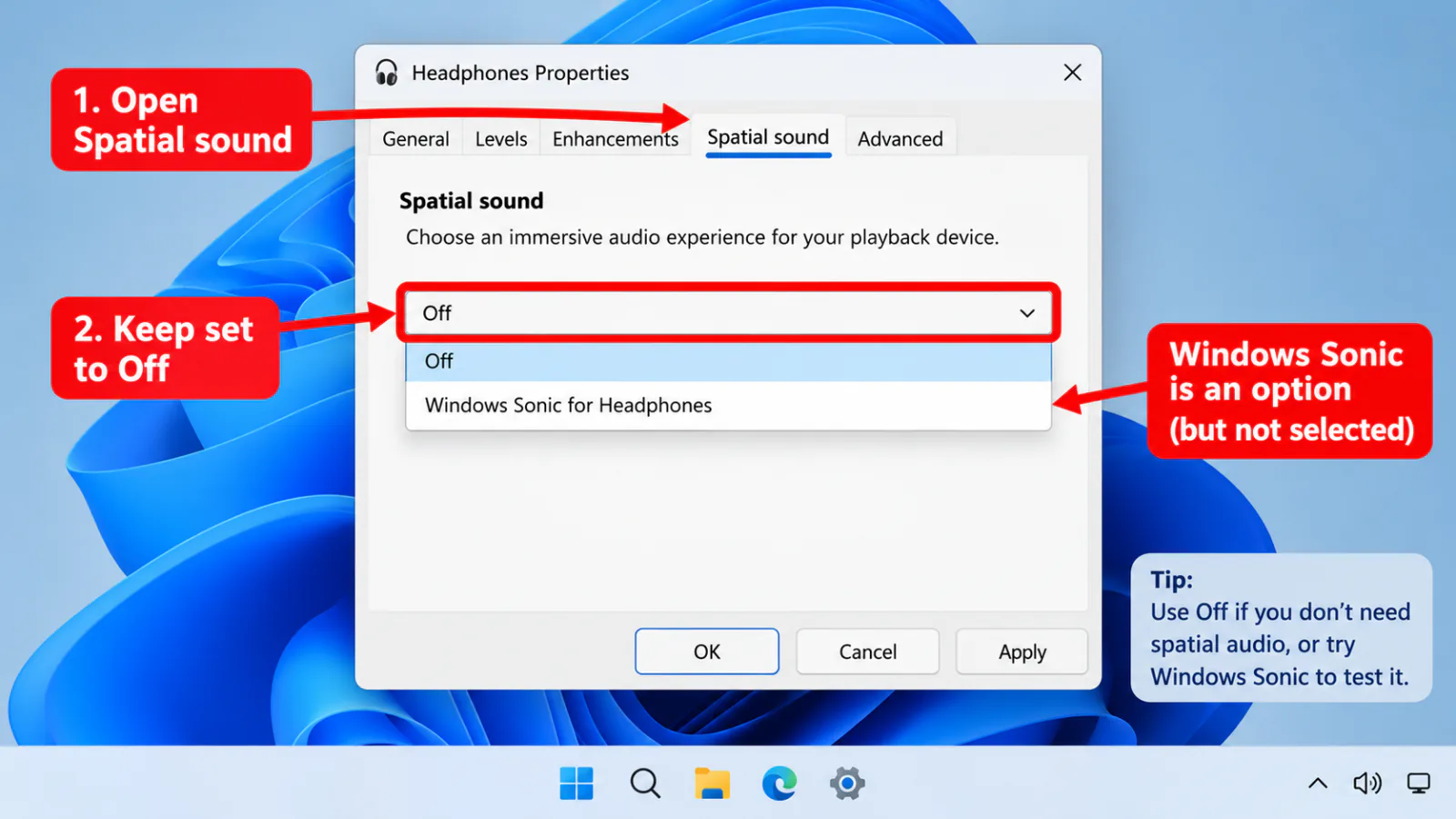
Step 2 — Classic panel and enhancements
mmsys.cpl→ Playback → Headphones → Properties → Spatial sound tab → Off.- Enhancements / Advanced → Disable all enhancements.
- Uninstall or pause third-party spatial apps temporarily if they force a virtual device.
Step 3 — If silence remains
Wrong endpoint
→ default output
→ default output
Exclusive grab
→ exclusive mode
→ exclusive mode
Bluetooth Hands-Free
→ Bluetooth
→ Bluetooth
Drivers
→ drivers
→ drivers
FAQ
Can Windows Sonic cause headphones connected with no sound?
Yes. Spatial processing can fail with some Bluetooth codecs or drivers. Disabling Spatial sound is a standard isolation step.
Should I re-enable Spatial sound later?
Only after shared stereo playback works. Then retest Sonic/Dolby; leave Off if the headset OEM advises against it.
Meter moves but I hear nothing with Sonic on
Audio is rendered to a broken spatial path. Off → retest → then check exclusive mode and drivers.
Official / primary sources
Symptom map
- Headphones connected but no sound (start here)
- Bluetooth / wireless headphones — connected, no audio
- Wired / 3.5mm jack — plugged in, no audio
- Earbuds / buds connected but no sound
- Wrong default playback or communication device
- Exclusive mode / one app capturing the device
- Spatial sound / Windows Sonic issues
- Audio, Realtek, or Bluetooth driver problems
- Volume Mixer — app muted or communications ducking
- Windows 11 Settings paths for this symptom
- No sound after a Windows Update
- Windows audio & Bluetooth troubleshooters